

Download Threadit – Free Video Recording Tool for PC, Windows & Mac | Screen Capture & Team Collaboration App
Threadit is a free, secure, and intuitive video recording tool designed for modern teams and remote workers. Developed by threadit.app, this browser extension for Google Chrome enables users to capture short, high-quality video updates directly from their desktop. With its social-media-inspired interface, Threadit turns workplace communication into quick, engaging video threads—perfect for sharing project progress, feedback, or task updates without the need for lengthy meetings.
Whether you're on Windows, Mac, Android, or iOS, Threadit streamlines collaboration with seamless screen recording, real-time sharing, and team-based video replies. Its lightweight design ensures smooth performance, while features like transcription, file attachments, and access controls keep your workflow secure and organized. Download Threadit today and transform how your team communicates.
Key Features of Threadit – Why It Stands Out
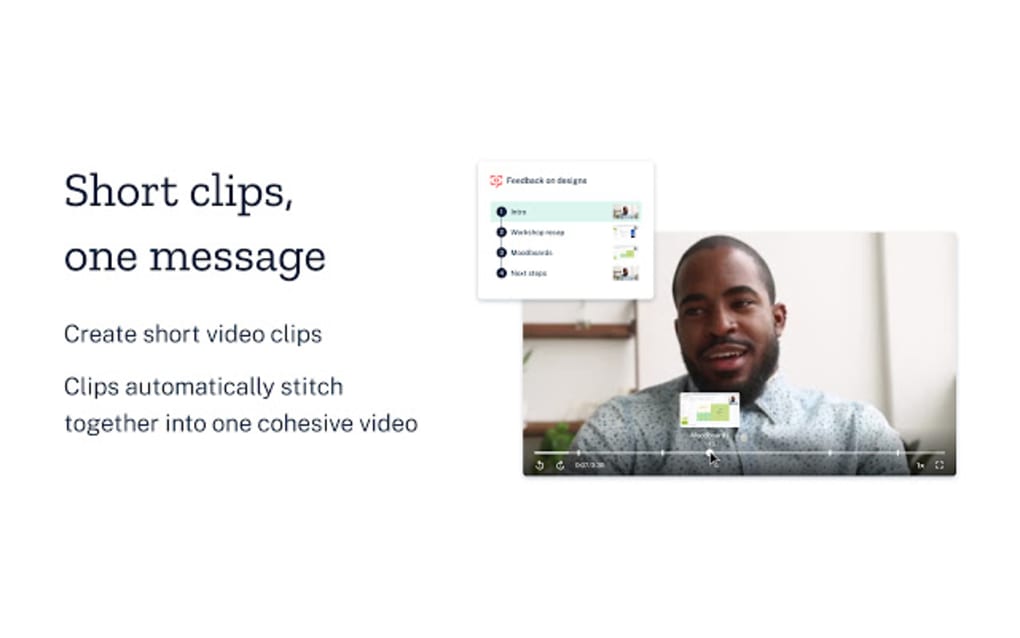
Threadit isn’t just another screen recording tool—it’s a communication revolution for remote and hybrid teams. One of its standout features is the ability to create short-form video threads, similar to TikTok but tailored for professional use. This makes sharing updates fast, engaging, and easy to digest. Users can record their screen, webcam, or both simultaneously, with intuitive controls that include start/stop buttons, mic and camera toggles, and a screen share option for presentations. The interface is clean and minimal, ensuring that even first-time users can begin recording in seconds.
Another powerful feature is the built-in collaboration engine. After recording, you can publish your video thread with customizable sharing settings—choose between public, private, or group-specific access. This level of control ensures sensitive project details remain secure. You can also attach documents, links, or notes directly to your video, making it a comprehensive communication hub. For added clarity, Threadit offers automatic transcription, so team members can read or search through spoken content without watching the full video.
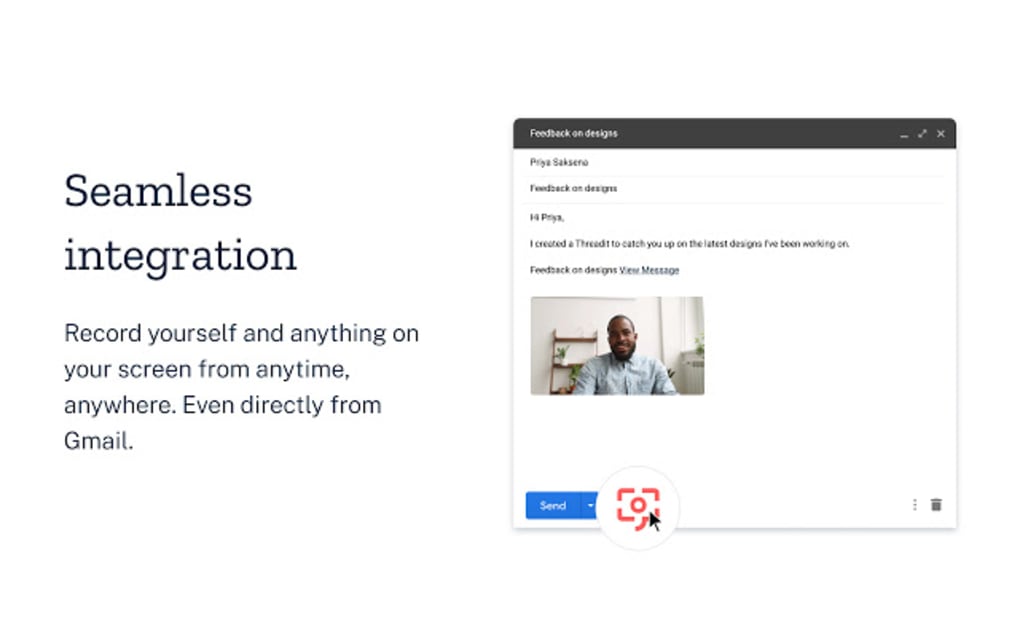
Threadit also supports video replies, allowing teammates to respond with their own short clips—creating a dynamic, threaded conversation. This eliminates the need for back-and-forth emails or endless Zoom calls. Whether you're a freelancer managing multiple clients or part of a distributed team, Threadit helps maintain transparency and accountability. Its integration with Google and Microsoft accounts simplifies sign-up, while the browser extension format means no heavy downloads or complex installations. With regular updates and a growing feature set, Threadit continues to evolve as a must-have tool for digital collaboration.
How to Install and Use Threadit on Windows, Mac, Android, and iOS
Getting started with Threadit is simple and fast. First, visit the official website at threadit.app and click on the “Download” button. You’ll be prompted to sign in using your Google or Microsoft account—no lengthy registration forms. Once logged in, you’ll be directed to install the Chrome extension. The process takes just a few seconds and requires no admin rights, making it ideal for corporate environments.
After installation, the Threadit icon will appear in the top-right corner of your Chrome browser window. Click it to open the recording dashboard. Here, you can choose from pre-designed templates or start a blank thread.
Give your thread a name, decide whether to include your webcam, microphone, or screen share, and hit the red “Record” button. The controls are straightforward: pause, stop, and review your recording in real time. When finished, click “Finish Video” to access publishing options.
During publishing, you can set privacy settings—allow anyone to view, restrict access to specific team members, or share via a secure link. You can also enable transcription, attach files, and set expiration dates. Once published, the thread appears in your dashboard, where you can track replies, comments, and engagement. Team members can reply using their own Threadit accounts, creating a continuous, visual workflow. While the core app is browser-based, Threadit also offers mobile support via Android and iOS apps, allowing you to record and respond on the go.
Compatibility & System Requirements – Works Across Devices
Threadit is built with cross-platform compatibility in mind. It’s primarily designed as a Chrome browser extension, so it works seamlessly on Windows 10 and later, macOS 10.15 or newer, and Linux systems. The extension integrates directly into Chrome, requiring no additional software or drivers. This makes it one of the most accessible screen recording tools for desktop users.
For mobile users, Threadit offers dedicated apps for both Android and iOS. These apps allow you to record short video updates from your smartphone or tablet, ideal for on-the-go professionals. The mobile version supports screen recording, front/back camera, and audio capture—perfect for quick status updates during meetings or commutes. All recordings sync automatically to your web dashboard, ensuring a unified experience across devices.
While Threadit is currently limited to Chrome, the development team has hinted at future support for Firefox and Edge. The software is lightweight, consuming minimal RAM and CPU, which ensures smooth performance even on older machines. It’s also secure—data is encrypted in transit and at rest, and all user accounts are protected with two-factor authentication (2FA) support. With regular updates and a commitment to privacy, Threadit is a reliable choice for both personal and enterprise use.
Pros and Cons of Using Threadit
- Pros:
- Free to use with no hidden fees
- Simple, intuitive interface ideal for beginners
- Supports screen, webcam, and mic recording simultaneously
- Automatic video transcription improves accessibility
- Secure sharing with granular access controls
- Mobile apps available for Android and iOS
- Encourages asynchronous communication, saving time
- Regular updates and responsive developer support
- Cons:
- Currently only available as a Chrome extension
- Requires account creation for full functionality
- Limited to video replies within the Threadit ecosystem
- No native offline mode for recording
- Transcription accuracy may vary with accents or background noise
Frequently Asked Questions (FAQ)
-
Is Threadit free to download and use?
Yes, Threadit is completely free to download and use. The core features—including screen recording, video replies, transcription, and team collaboration—are available at no cost. Premium features may be introduced in the future, but the free version remains robust and functional for most users.
-
Can I use Threadit on Windows, Mac, Android, and iOS?
Yes, Threadit is compatible with Windows 10+, macOS 10.15+, Android, and iOS. The desktop version runs as a Chrome extension, while mobile users can download the app from the Google Play Store or Apple App Store. All devices sync seamlessly through your account.
-
Do I need to sign up to use Threadit?
Yes, a free account is required to record, publish, and collaborate on video threads. You can sign up using your Google or Microsoft account for a quick and secure login process.
-
Can I record without a webcam or microphone?
Absolutely. Threadit allows you to record just your screen, or combine screen with webcam and/or mic. You can toggle each component on or off based on your needs, giving you full control over what’s captured.
-
Is my data secure when using Threadit?
Yes, Threadit prioritizes security. All recordings and communications are encrypted in transit and at rest. Access controls let you restrict who can view or reply to your threads, and two-factor authentication is available for added protection.
Final Verdict: Why You Should Download Threadit Today
Threadit is more than just a screen recording tool—it’s a smarter way to communicate in today’s fast-paced, remote-first work environment. By combining the simplicity of social media with the professionalism of workplace collaboration, Threadit helps teams stay aligned without the overhead of meetings. Whether you’re a project manager, designer, developer, or freelancer, this free tool can significantly boost your productivity and team engagement.
With its easy installation, cross-device compatibility, and powerful features like transcription and secure sharing, Threadit stands out in a crowded market. While it currently only supports Chrome, the mobile apps and web dashboard ensure you’re never locked out. If you’re tired of long email chains, unclear chat messages, or time-consuming video calls, Threadit offers a refreshing alternative.
Don’t wait—download Threadit today and start creating engaging, efficient video updates that keep your team in the loop. It’s free, secure, and built for the future of work.







